
P · 01
Architecture, not polish
Security first, not last.
Security properties are designed before the feature, not bolted on afterwards. Crypto, TLS validation, sandboxing and logging restrictions land earlier in the pull request than the file does.
FOLD is a native email client for people who take their inbox seriously, engineers, researchers, journalists, sysadmins. Security is an architectural constraint, not a polish step.
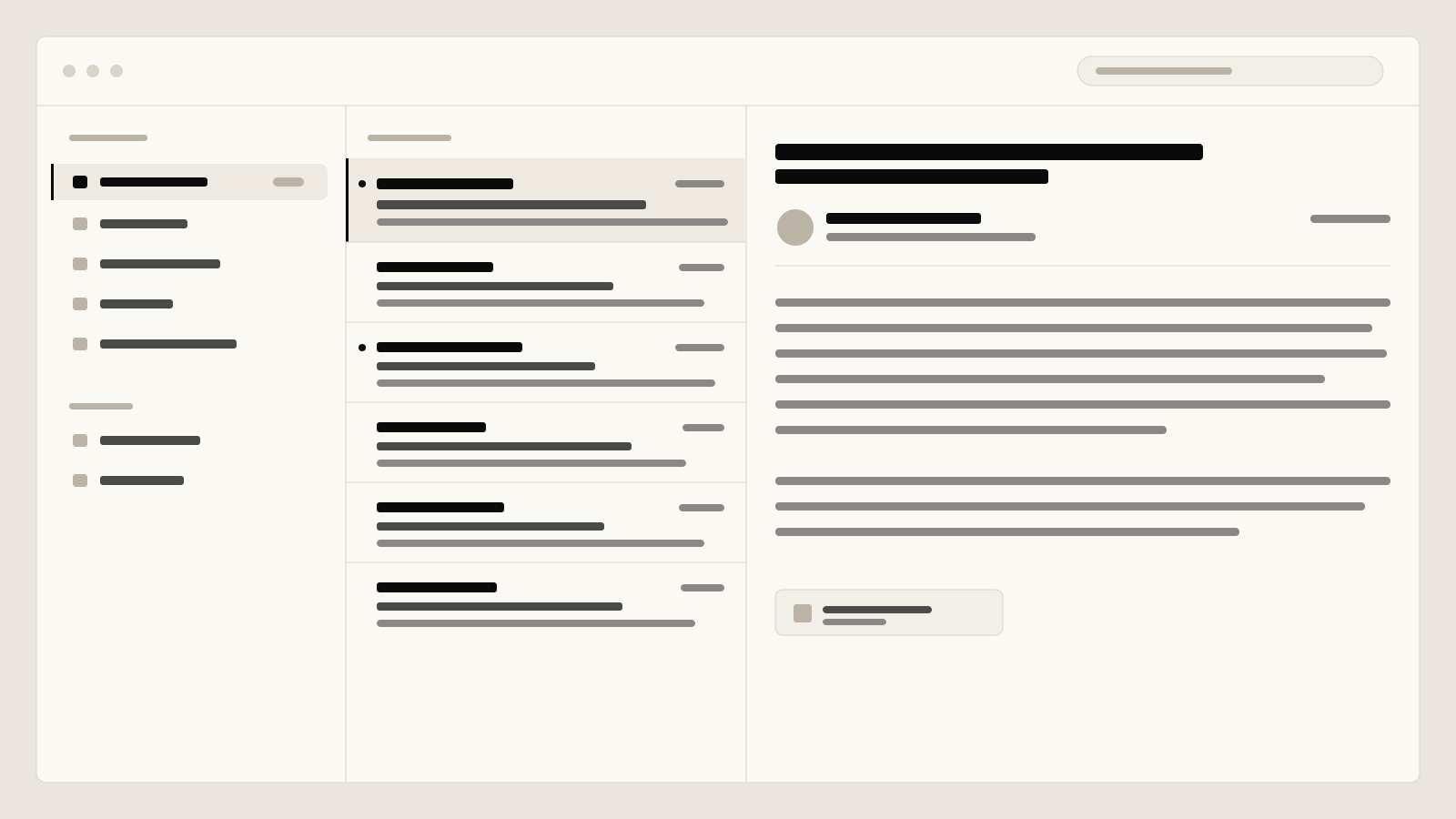
Most mail clients sell you to ad networks, import half the web as a dependency, push banners constantly and call it productivity. FOLD walks the other way. Less code, less surface, fewer assumptions.
A reply starts with the To field. Cc, Bcc, attachments and encryption appear only on a gesture or keystroke. What is on screen has to earn its place.
Command palette via ⌘K. Search with operator syntax (from:, has:attachment, before:2024-06, /regex/). Header inspector at a keystroke. The mouse is optional.
All mail lives on your device. A pure-Swift IMAP engine. A four-tier local store. No cloud sync service reading along. Your data stays yours.
These four sentences are literal quotes from our internal security docs. They are not marketing, they are decision rules during code review.
Security properties are designed before the feature, not bolted on afterwards. Crypto, TLS validation, sandboxing and logging restrictions land earlier in the pull request than the file does.
A third-party dependency only enters if we cannot correctly build the primitive ourselves and the source is trustworthy. The MVP ships with Apple system frameworks only. No swift-crypto, no libetpan, no JSON helper package.
TLS · Keychain · App Sandbox · Hardened Runtime · code signing · optional Fortress Mode with Argon2id + AES-256-GCM. If one layer falls, the others keep standing.
Less code, fewer dependencies, fewer entitlements, less data needlessly in memory. Sensitive buffers are zeroed after use. JavaScript inside HTML mail is hard-disabled.
Three views that show what 'ruthlessly tidy' means in practice. Keyboard-led, transparent about the protocol, no clutter.
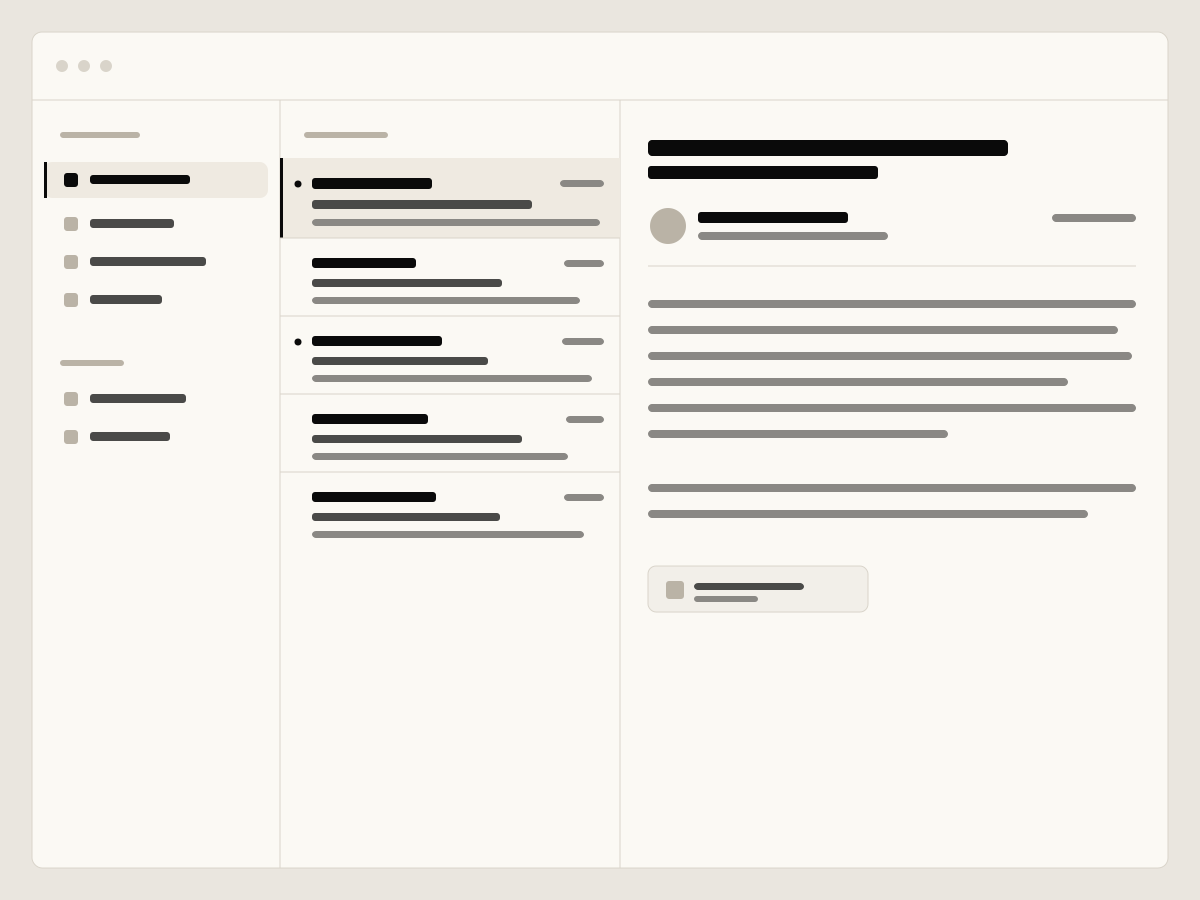
Mailbox · message list · message detail. Hardware keyboard and trackpad first. On iPadOS the same three-column layout, not a mobile approximation.
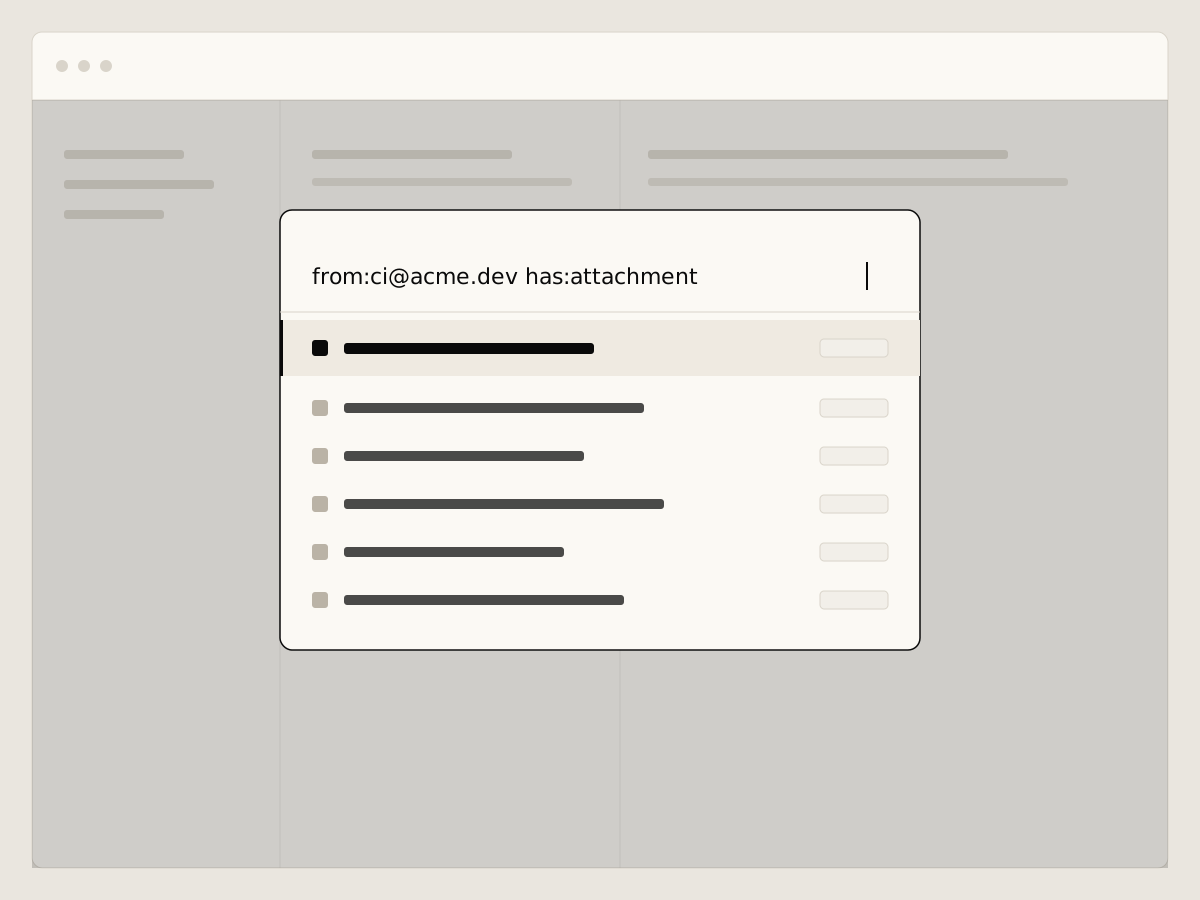
Everything that can be done is typeable. Search operators like from:, has:attachment, before:2024-06 and /regex/ inline.
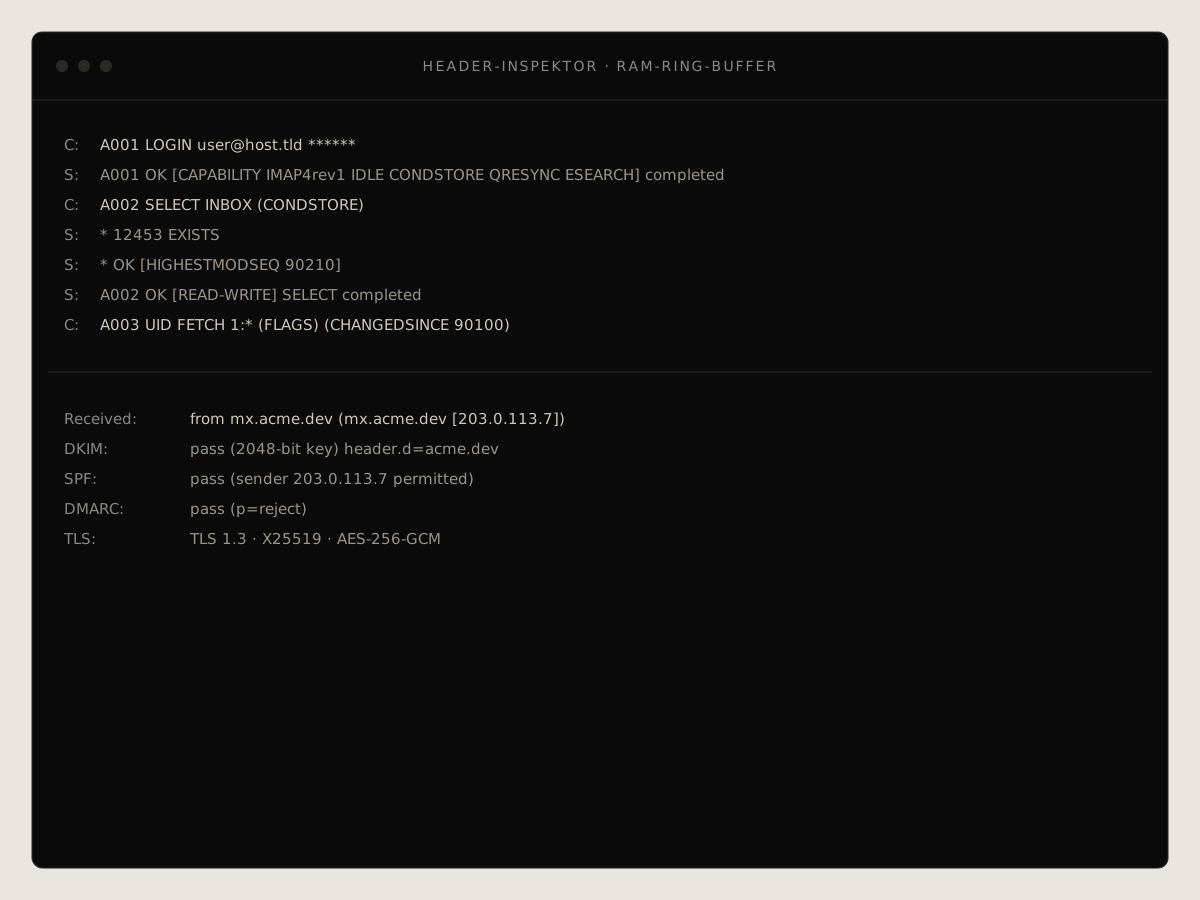
Raw IMAP/SMTP trace, summoned by keystroke. Lives in a RAM ring buffer, never on disk. For people who want to know what goes over the wire.
Every action in FOLD runs through a single layer. Command line, Shortcuts, widgets and filters all speak the same language: what you do in the terminal, a button in a widget does too. None of it is bolted on after the fact.
$ fold search 'from:alerts@acme.dev is:unread before:2026-01' --json \
  | jq -r '.[].id' \
| xargs fold flag --readGit-style subcommands for reading, searching, flagging, moving, sending. Stable --json schema, documented exit codes, pipe-friendly. Drops straight into jq, xargs and your scripts.
Filters are declarative rules whose condition is exactly the search grammar you already know. Destructive actions require --dry-run; auto-replies are protected against loops (RFC 3834).
Through App Intents every action is available to Apple's automation: Shortcuts, voice, Spotlight. No bridges, no plugins.
Unread count, inbox preview and thread watch — with buttons that act directly, like mark or archive. On the lock screen, counts only by default; contents only if you opt in.
The same operators in the command bar (⌘K), in the fold CLI and in your filters. From simple keywords to regular expressions, across accounts in milliseconds.
from:ci@acme.dev has:attachment file:pdf after:2026-01 -is:read
subject:"deploy failed" OR body:/timeout|5\d\d/
size:>10M in:work account:allfrom:, to:, subject:, body:, has:attachment, file:pdf, size:>10M, before:/after:, is:unread, label:, list:. Combine with AND, OR, parentheses and - to exclude.
When keywords are not enough, /regex/ post-filters right in the search field. Exact phrases in quotes. The same grammar drives UI, CLI and filters.
Results by date or BM25 relevance. Full-text via FTS5 in ≤ 200 ms, across all accounts in one go.
You enter your address, FOLD finds the servers itself. A six-stage discovery runs in order: known providers, the signed FOLD database, DNS, the Mozilla ISPDB. Before anything connects, you see which servers, no silent connection.
Cache, built-in providers, signed FOLD DB, DNS SRV (DNSSEC-aware), Mozilla ISPDB, then manual. Around 15 providers are built in, from Gmail and Outlook to Posteo, Mailbox.org and Proton Bridge.
The open provider database is Ed25519-signed. FOLD verifies the signature before a single byte is parsed. The data is public (CC0), and you always see the servers before the first connect.
OAuth2 with mandatory PKCE for Google and Microsoft, including Office 365 and personal accounts. No client secret in the app. Tokens refresh themselves, concurrent requests are coalesced.
Multiple accounts, multiple alias identities per account. When you reply, FOLD automatically picks the address the mail was sent to, with fallback and per-alias opt-out.
FOLD is in active development. In 2026 we open early access to a first group of testers — leave your address and we'll reach out as soon as a seat opens up.
Each layer has its own job and its own test. If an attacker breaks one, the next layer is still there. If two fall, the third holds.
Strict certificate validation. TLS 1.2 minimum, 1.3 preferred. No auto-accept. Optional cert pinning per account with fingerprint display.
OAuth2 PKCE preferred over passwords. SASL: SCRAM-SHA-256 > XOAUTH2 > CRAM-MD5 > PLAIN. PLAIN only over TLS.
App Sandbox + Hardened Runtime. Minimal entitlements: network.client, files.user-selected, keychain. No disable-library-validation.
Tokens stay in Keychain, bound to the unlocked device. No iCloud sync, never in UserDefaults or plists.
JavaScript in HTML mail is hard-disabled. Remote content never auto-loads, attachments get the quarantine bit, hovering shows the real link target. Hardened MIME parser with depth limits.
For when FileVault is not enough: app-level encryption per account. From your passphrase, Argon2id (64 MiB, 3 rounds) derives a 256-bit master key that lives in RAM only. One HKDF subkey per account, AES-256-GCM over the body cache. On idle the vault locks and wipes the key from memory.
Fully documented: threat model mapped to MITRE ATT&CK + D3FEND, CVE test suite against EFAIL & friends, fuzzing for MIME parsers. Coordinated disclosure welcome.
Read the security dossierSpeed in the short form against a typical cloud mail client. Security architecture in the short form against the five most-used competitors. The full matrix with sources lives on the security page.
FOLD values from internal performance targets. Typical cloud mail client values are a qualitative experience reference, not tied to any specific product.
As of May 2026. Source links per column live in the full matrix.
No cross-platform wrappers. No web views dressed up as apps. A real native app built on the frameworks the operating system already ships.
Internal measurement on Apple Silicon against a synthetic 500,000-message corpus (May 2026). The budget figures above hold across devices, not just at best case.
The body cache addresses every message by its SHA-256 hash. Two effects: identical content sits on disk only once, and a body tampered with after the fact is caught the moment it loads, because the hash no longer matches. Plus three more tiers: HotIndex (mmap) for instant scrolling, HeaderStore (SQLite WAL) and SearchIndex (FTS5).
macOS 13 (Ventura) and up, iOS 16 and up, iPadOS 16 and up as a first-class citizen. Three-column layout, hardware keyboard, trackpad hover and drag-and-drop are mandatory on iPad, not bonus.
Because every dependency is attack surface. CryptoKit, Security, Network and SQLite cover everything we need in audited Apple quality. Anyone who reads Swift can read all of our code. Nobody has to trust a stranger's build output.
S/MIME via the system CMS API. OpenPGP as a deliberately small modern-only subset (RFC 9580): Ed25519, X25519, AES-OCB, SHA-256/512, HKDF. No RSA, no DSA, no MD5/SHA-1, no CAST5, most OpenPGP CVEs of the last 20 years came from exactly those legacy paths.
The code is proprietary. Distributed by Datargo GmbH. An external security audit is planned before beta. A bug bounty is in preparation. Pull requests against the provider database are curated in the open.
Pricing is not finalised. The plan is a one-time purchase per platform plus an optional subscription for convenience features (provider-DB updates, backup sync). No ad-supported model. Ever.
It stays on your device. FOLD only talks to the mail servers you configure and to our signed provider database for auto-setup. No telemetry. No crash reporters that could ship message contents.
Send us your email address. You will receive a short confirmation as soon as we can hand out a test slot. No newsletter, no advertising, no tracking link.
Opens your mail client, no server processing.